The Photography Gear I Actually Use for Senior Portraits
TL;DR
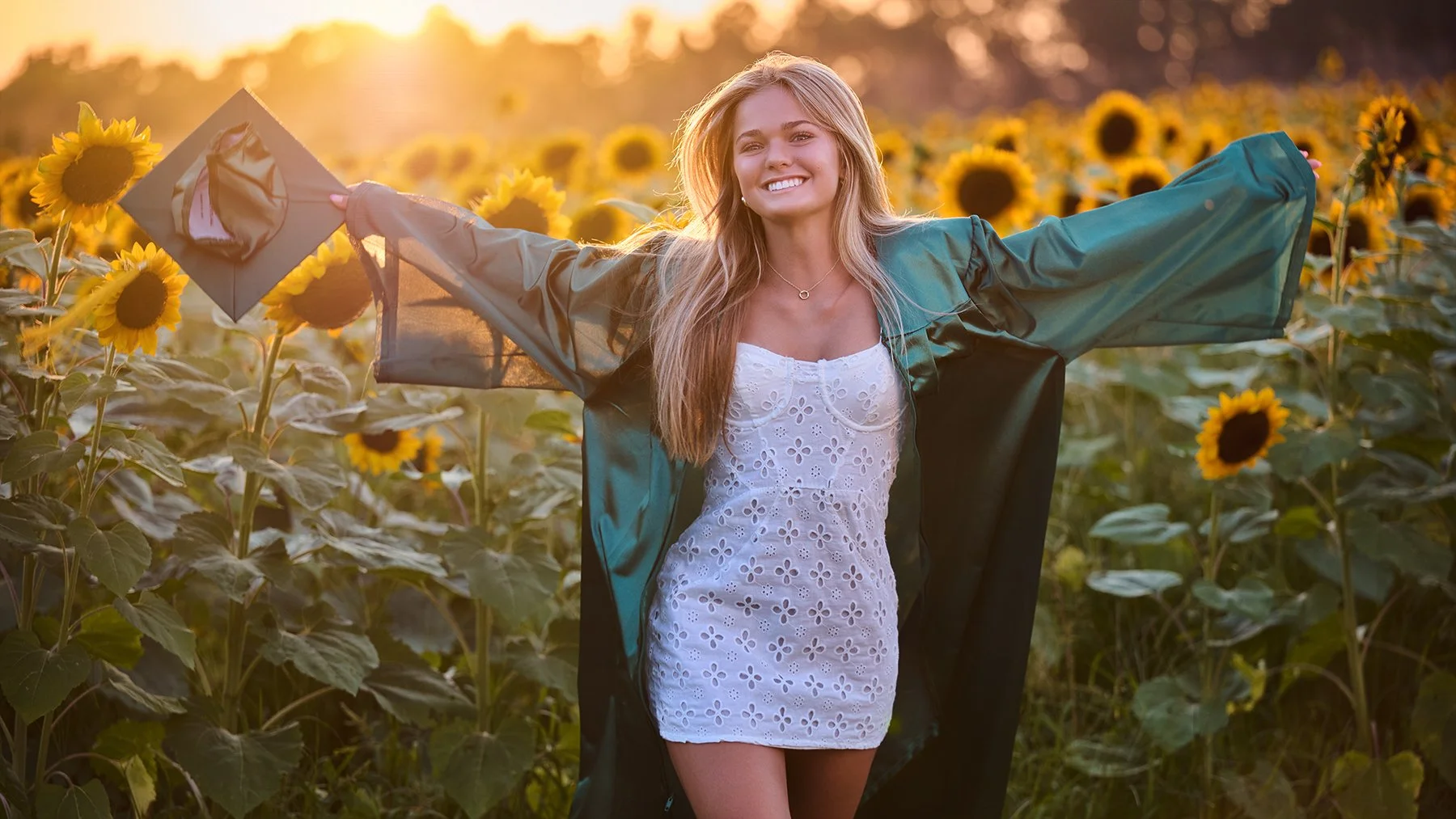
After years of photographing high school seniors throughout Peachtree City, Fayette County, and the greater Atlanta area, I've learned that producing consistent portraits has as much to do with preparation and understanding light as it does with equipment.
My senior portrait kit is relatively straightforward: two Nikon camera bodies, a 24–70mm and 70–200mm lens, and a small collection of lighting tools that allow me to work efficiently in unpredictable outdoor conditions. I prioritize equipment that gives me flexibility without overcomplicating the production. More importantly, I've developed a process that allows me to focus less on solving technical problems during a session and more on creating an environment where the person I'm photographing can feel comfortable and confident.
Here's the equipment I actually use, why I use it, and how those decisions influence the finished photographs.
A More Intentional Approach to Senior Portrait Photography
When I first started photographing high school seniors, I approached sessions with a lot more flexibility than I do today. We'd select a general location, arrive with our equipment, and see what happened. Maybe we'd find an interesting background. Maybe we'd move to another part of the location when the light wasn't quite right. Sometimes we'd spend a significant portion of the session searching for the next photograph.
On paper, that sounds like a fairly creative approach. In practice, I found it introduced unnecessary stress into the experience. We were constantly moving, looking for backgrounds, adjusting to changing light, and trying to make the conditions work. The photographs weren't always as consistent as I wanted, and I began to recognize that the uncertainty was affecting the people I was photographing.
Most high school seniors aren't particularly comfortable standing in front of a professional camera. Even the ones who appear confident often need time to settle into the experience. When the photographer seems to be searching for something that works, the subject can begin to feel that uncertainty, too.
Over time, I started removing as much of that guesswork as possible. Today, I'm much more deliberate about selecting locations, anticipating lighting conditions, and planning the progression of a session before we begin.
That approach extends to scheduling. Senior portrait season is relatively short, and there's always a temptation to accommodate as many sessions as possible during the summer. Earlier in my career, I found myself trying to make shoots happen on days when the weather or available light simply wasn't cooperating.
One afternoon might offer beautiful directional sunlight, while the next could be completely overcast. Another session might follow a summer thunderstorm, leaving the atmosphere hazy and the available light considerably different. Those conditions can all produce interesting photographs, but they don't necessarily produce the consistent visual style I'm trying to create.
Eventually, I began scheduling fewer sessions and allowing more flexibility for weather-related postponements. I also became much more intentional about when we photograph. Most of my senior sessions begin approximately two to three hours before sunset. That gives me a predictable progression of light and allows me to anticipate how the sun will interact with the locations we've selected.
The result is a process that may be more structured, but actually allows for greater creative freedom. When I'm no longer worrying about finding the next location or correcting unexpected lighting problems, I can devote my attention to the person standing in front of me.
The more predictable the production becomes for me, the more freedom the senior has to simply be themselves.
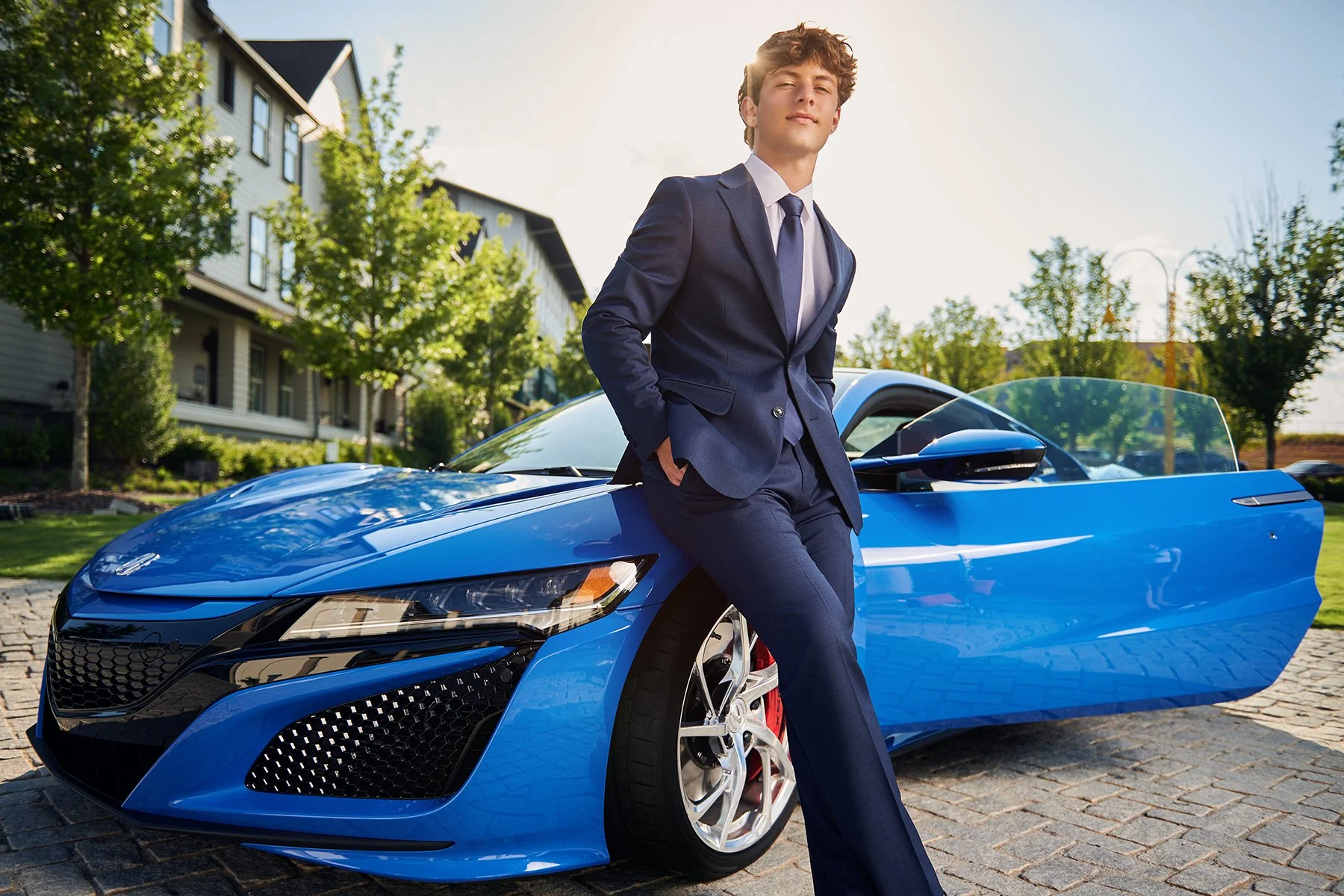
My equipment choices support that philosophy.
Why I Use Them
For senior portrait sessions, I almost always carry two camera bodies simultaneously. One is equipped with the NIKKOR Z 24–70mm f/2.8, while the other carries the NIKKOR Z 70–200mm f/2.8. Both cameras are attached to a dual-camera holster system, allowing me to move between focal lengths without constantly stopping to change lenses.
It's a relatively simple setup, but it gives me the flexibility to approach the same location in two completely different ways. The 24–70mm is what I reach for when I want to incorporate more of the environment into the photograph. I can create wider portraits that include architectural details, landscapes, or other elements that contribute to a more editorial image.
The 70–200mm serves a different purpose. With the longer focal lengths, I can isolate the subject, compress the perspective, and produce the soft, creamy backgrounds that have become so popular in contemporary senior portrait photography.
I generally photograph with both lenses at or near f/2.8. Beyond allowing more light to reach the sensor, shooting wide open produces a particular visual quality that I enjoy. Background elements become softer, there's a sense of separation between the subject and the environment, and I often get interesting atmospheric textures and lens flare when working with the sun.
When I want to retain more environmental detail, I'll often switch back to the 24–70mm rather than relying exclusively on the longer lens. Having both options immediately available means I can make those decisions without interrupting the session.
Why I Don't Need a Flagship Camera
Throughout my career, I've used a wide range of professional camera equipment, including flagship bodies. But camera technology has advanced considerably. Features that were once exclusive to the most expensive professional cameras have gradually made their way into more accessible models. Autofocus performance is a good example.
The Nikon Z6III provides the autofocus capabilities, image quality, and overall performance I need for professional portrait photography without requiring me to purchase one of Nikon's considerably more expensive flagship bodies.
When I'm photographing a senior portrait, I don't need extremely high continuous shooting speeds. I'm generally working with someone who's standing, sitting, or moving relatively slowly while I direct their expression and positioning. Having a camera capable of capturing an enormous number of frames every second doesn't meaningfully improve that process. The same can be said for certain in-camera processing features that aren't particularly relevant to my established workflow.
There are legitimate reasons to purchase flagship equipment, especially for photographers working in sports, wildlife, and other demanding situations. But those requirements don't necessarily translate to portrait photography. I'd rather invest in equipment that directly improves the photographs I'm producing than spend thousands of additional dollars on features I'll rarely use.
Professional equipment isn't necessarily the most expensive equipment. It's the equipment that meets the demands of the work.

Lighting
Working With Natural Light
Equipment
Why I Use It
Unlike most of my corporate headshot work, senior portrait sessions are almost exclusively photographed outdoors. That introduces an entirely different set of lighting considerations.
In a controlled indoor environment, I can position my lights, establish an exposure, and maintain relatively consistent conditions throughout the session. Outdoors, everything changes. The sun moves, the intensity of the light changes, and surrounding buildings, trees, and other environmental elements can influence how that light reaches the subject.
Rather than trying to overpower those conditions, I prefer to work with them whenever possible. That's why the timing of a session matters so much. By scheduling around the final few hours of daylight, I can anticipate the direction and character of the available light and plan our locations accordingly.
Depending on the session, I'll either work primarily with available light and a reflector or introduce a battery-powered monolight. The decision often comes down to the scale of the production.
Using a Reflector
When I'm working with an assistant, one of the most useful pieces of equipment we bring is a simple 48-inch collapsible reflector. Mine has a white surface on one side and a silver surface on the other.
I use the white surface when I want softer, more subtle fill light. It's particularly useful for lifting shadows on the face without dramatically changing the character of the existing sunlight. The silver surface produces a more pronounced reflection. I'll use it when I want greater intensity or a more contrast-driven look, particularly when the available light begins fading toward the end of a session.
But choosing the appropriate surface is only part of the equation. The direction of the reflected light matters just as much. I typically instruct my assistants to position the reflector above the subject's head and angle it downward. That produces a more natural direction of light.
When a reflector is held too low, the resulting illumination can travel upward beneath the chin and into the face. It's rarely the quality of light I'm looking for. A reflector may be an inexpensive piece of equipment, but understanding how to position it makes an enormous difference in the photographs.

When I Bring a Monolight
For smaller senior portrait sessions where I'm working independently, I'll often bring a Flashpoint XPLOR 600 mounted on a C-stand with an Elinchrom octagonal softbox. These sessions generally take place within a relatively contained location, so I'm not constantly moving equipment between multiple environments.
The Flashpoint provides enough output to introduce artificial light while still balancing against the available sunlight. I've used the Elinchrom Octa extensively throughout my professional work, and I appreciate the quality and flexibility of the light it produces.
One detail worth mentioning is how I configure the modifier outdoors. The Elinchrom allows me to work with multiple layers of diffusion. When photographing in brighter conditions, I generally use only the internal diffusion baffle. That allows more light to pass through the modifier without requiring me to increase the power of the strobe unnecessarily.
When I want a softer, more diffused result, I'll introduce the second diffusion layer. There's a practical reason for making that distinction. Every additional layer of diffusion reduces the amount of light reaching the subject. If I'm already competing with bright sunlight, that reduction can force me to increase the output of the strobe.
Higher output generally means longer recycle times, which can slow the pace of the session. I want the quality of light to support the photograph without making the equipment unnecessarily difficult to work with.
It's a relatively small adjustment, but it's representative of how I approach lighting in general.
The objective isn't to use the most elaborate setup possible. It's to produce the light I want with the fewest unnecessary complications.

Supporting Equipment + Transport
Keeping the Equipment Manageable
Equipment
Why I Use It
Mobility is an important consideration when photographing seniors. Unlike a traditional studio portrait session, we may move between several different backgrounds or areas within a location. I don't want to interrupt that process every few minutes to unpack equipment, change lenses, or reposition an unnecessarily complicated lighting setup.
That's one of the reasons I prefer carrying two camera bodies on a holster system. With the 24–70mm and 70–200mm immediately available, I can move between environmental portraits and tighter compositions without stopping to change equipment.
When I'm working with an assistant, the lighting setup becomes even more flexible. A handheld reflector allows us to respond to changing sunlight quickly without having to move stands and strobes every time we reposition the subject. For sessions where I need artificial lighting, the C-stand provides a stable support for my monolight and modifier.
Ultimately, the equipment should make the session easier. I don't want a senior standing around waiting while I solve problems that could have been addressed during preproduction. The less time we spend managing equipment, the more time we have to make photographs.
Post-Production
Capture One Pro + Adobe Photoshop
Software
Capture One Pro (Capture One)
Adobe Photoshop (Adobe)
Why I Use Them
My post-production workflow is relatively formulaic. Not because every photograph receives the same treatment, but because I've developed a consistent process for selecting, evaluating, and finishing images.
After a session, I begin by transferring the photographs into an organized folder structure. From there, I import everything into Capture One, applying the appropriate file naming conventions and metadata before incorporating the images into my catalog.
The first step is a relatively quick review. I'm looking for the strongest photographs from the session and eliminating images that clearly aren't going to make the final selection. Once I've made that initial edit, I begin working through global adjustments.
Exposure, color temperature, contrast, and other overall adjustments are applied to groups of photographs that share similar lighting conditions. From there, I'll return to the selection process and generally try to reduce the initial group by approximately half.
I'll then make another pass through the remaining images, refining exposure, color, contrast, and occasionally cropping as the photographs begin to approach their final appearance. The last selection is much more specific.
At that point, I'm comparing similar photographs side by side, looking closely at facial expressions, eye position, subtle differences in posture, and other details. Sometimes the difference between two photographs comes down to a smile being slightly too pronounced or an expression feeling just a little more natural in one frame than another.
The objective is to arrive at a collection of photographs that feels carefully considered without removing the client's opportunity to participate in the final selection. During the reveal session, the senior and their parents can evaluate those photographs together and select the images included in their package.
Why I Don't Use Presets
One of the things I want to make clear about my editing process is that I don't use standardized filters or presets. Every session is evaluated individually.
Even when I'm photographing at approximately the same time of day, the quality and color of natural light can change significantly throughout the year. A session photographed in May doesn't necessarily have the same color temperature, atmospheric conditions, or quality of light as one photographed in August or October.
Applying the same preset to every session might produce superficially similar adjustments, but it doesn't necessarily produce consistent photographs. For me, consistency comes from understanding the visual characteristics I want to preserve.
I generally prefer a slightly warmer color palette, but the adjustments required to achieve that look will vary depending on the original lighting conditions. That means making decisions about exposure, white balance, contrast, saturation, and other adjustments based on the photographs themselves.
I'm not trying to force every image through the same formula. I'm trying to maintain a recognizable visual style while respecting the conditions in which the photograph was made.
When I Use Photoshop
Photoshop doesn't typically enter my workflow until after the reveal session. Before that point, the photographs have been globally adjusted and prepared for presentation, but they haven't undergone detailed individual retouching.
There's a practical reason for that. If a client is reviewing 50 or 60 photographs and ultimately selecting four or twelve final images, it doesn't make sense to spend time extensively retouching photographs they may never purchase.
Once the final selections have been made, I can concentrate on the images that actually require additional attention. Even then, much of the work that previously required Photoshop can now be accomplished directly in Capture One.
Capture One's newer AI-assisted tools allow me to select subjects and backgrounds, work with separate adjustment layers, and perform many common skin-retouching tasks without leaving the application.
Photoshop remains useful for more targeted corrections. That might include removing distracting spots or blemishes, cleaning up dust or other imperfections, or making localized adjustments to background color and contrast. Occasionally, I'll use layers to create additional separation between the subject and the environment.
But increasingly, many of those adjustments can be handled directly within Capture One. The important thing is that the retouching supports the photograph rather than becoming the defining feature of it.
I want the final image to feel polished and professional while remaining recognizable as the person we photographed.

Preparation Is Part of the Equipment Strategy
One of the most important lessons I've learned photographing seniors is that a successful portrait session starts long before I take the first photograph. We provide information in advance about wardrobe, posing, and what to expect during the session.
I encourage seniors to get a good night's sleep, eat before arriving, stay hydrated, and avoid spending too much time in the sun beforehand. These aren't particularly complicated recommendations. But they remove small sources of uncertainty that can affect how someone feels when they arrive.
I also make it clear that the session isn't something they simply have to endure. If they're uncomfortable, need a break, or want to change something, they're welcome to say so. We're not going to push through a session without paying attention to how the person being photographed is feeling.
This is particularly important with high school seniors. There's often a difference between the confidence they want to project and how comfortable they actually feel in front of a camera.
The more I can anticipate the technical demands of the production, the more attention I can give to helping them feel comfortable. And that ultimately influences the photographs more than another piece of equipment ever could.
Final Thoughts
Understanding the Light. Knowing the Equipment. Creating the Experience.
After years of professional photography, I've become increasingly selective about the equipment I use. Not because I believe there's one perfect camera or lighting system, but because I understand what I need from my tools.
For senior portraits, that means reliable cameras, versatile lenses, a manageable lighting setup, and an editing workflow that allows me to maintain consistency across different locations and seasons. It also means recognizing that equipment is only one part of the process.
The decisions I make about scheduling, locations, lighting, and preparation have just as much influence on the finished photographs. And ultimately, all of those decisions serve the same purpose.
I want the person in front of the camera to feel comfortable enough that I can create photographs that reflect who they actually are.
These are the tools and methods I've developed through experience, and they're the ones I continue to rely on when photographing seniors throughout Peachtree City, Fayette County, and the greater Atlanta area.
Affiliate disclosure: Some links in this article may be affiliate links. If you purchase through them, I may earn a commission at no additional cost to you.
Senior Portrait Photography in Peachtree City + Atlanta
At South Atlanta Photography, we approach every senior portrait session with an emphasis on preparation, creative direction, and creating photographs that feel confident, personal, and timeless.
If you're planning senior portraits for the Class of 2027, visit our Senior Portrait Photography page to learn more about our process, available sessions, and how we work with high school seniors throughout Peachtree City, Fayetteville, Senoia, and the greater Atlanta area.